Total Pageviews

Monday, December 3, 2018

Jamas uses Cortar y Pegar (Cut and Paste) al transferir archivos al PC - Android.

Si creiamos que manteniendonos en la memoria interna de los moviles android estabamos seguros, nos equivocamos. Mantenernos lejos del almacenamiento basado en microSD cards es inseguro, pero en la memoria interna tambien pueden ocurrir bugs que lleven a la perdida de informacion. Como es el caso del telefono que usaremos como ejemplo para intentar buscar una solucion, donde la ultima opcion es rootear y hacer un "dump" de la memoria interna a nuestra pc con complicadas herramientas de linux en sus versiones windows. Herramientas tales como busybox y cygwin que nos permiten teniendo el equipo rooteado hacer un volcado de memoria mediante un protocolo local de red.

La situacion con nuestro movil fue, quisimos liberar espacio cortando la carpeta DCIM a nuestro ordenador o mejor dicho a una ubicacion de red y un bug hizo que windows entendiera que el proceso ya estaba finalizado y la carpeta se borró como sucede en todo cut and paste. Ahora nuestros archivos importantisimos se han ido y estamos probando distintas herramientas como el novedoso dr. phone que parece estar haciendo el trabajo necesario, para toda operacion de desarrollador el primer paso siempre es habilitar el modo de depuracion usb o usb debugging, proceso sencillo que incluye tocar varias veces en "build" en opciones del telefono.
"
Case 2: Android phone does NOT connect as a hard drive
Recent Android phones and tablets, especially those without an SD card, do not connect as a hard drive, but as a multimedia player. The icon that appears in My Computer is different, and there is no drive letter .
You can force an Android phone to connect as a hard drive ( mass storage ), but it is a very complicated procedure, since it involves rooting (unlocking) the device and using difficult-to-use utilities." https://www.quora.com/How-can-I-recover-the-files-that-lost-during-cut-and-paste


Probando dr.fone para android -  FAILED ON MOTO G5 32GB 5TH, segundo intento: ROOT FAILED


En este momento el telefono se ha reiniciado luego de supuestamente hacer un "root" temporal y desbloqueamos la pantalla, sin embargo nada ha pasado... Al cabo de unos momentos aparecio una leyenda de "connectiing..." y de nuevo volvemos a la pantalla de inicio donde seleccionamos el tipo de archivos a recuperar y nos pide hacer un root otra vez, parece que esta utilidad aunque es bastante avanzada y usa la tecnica correcta no es capaz de recuperar nada, detecta y todo, pero estamos de vuelta en la pantalla de inicio.

Ahora nos enteramos que desde android 6 los telefonos vienen encriptados por defecto! Uhy y ahora como hacemos para y si es que llegamos a tener que usar cygwin? Si "dumpeamos" una imagen encriptada de la memoria interna no podremos recuperar nada!

ALTO! Hemos leido que dr.fone puede ser scam o simplemente es un software poco fiable, algunos usuarios han reportado incluso brick de sus moviles! No seguiremos adelante con esta prueba porque no queremos que no solo no recuperes tus fotos o videos sino que tambien brickees el movil.
Fuente

Mas info de dr.fone:

"Problem 1: Galaxy S7 edge stuck in bootloop after stopping Dr. Fone software installation

Hi. I have a problem with the Galaxy S7 edge (SM-935F) of my mother’s. She accidentally deleted some photos and I wanted to get back those photos using an Data Recovery Software (Dr.Fone). While it was in Download Mode doing its thing (hasn’t started analyzing yet, just installing some recovery package), it stuck at 100% for a long time and couldn’t go on. So I wanted to abort it (I think I restarted the phone because there wasn’t a stop function in the program, but not sure anymore what I exactly did), and now it stucks at the samsung logo. I tried so much, I went to download mode and tried doing it again and fixing with functions given by Dr. Fone. I did soft restart so often, I restarted it when going into download mode (you can choose if you really want to go into download mode or restart), I can’t get into soft mode. I restarted it from recovery mode, I wiped the cache partition, I also wanted to try FonePaw but it doesn’t support this phone.
Now I’m helpless because I don’t want to do a factory reset. All I need is to somehow get those deleted photos. After I got those I can do a factory reset because there isn’t anything other important stuff on it, only those photos. So a solution with using the download mode and a PC to get those photos without fixing that the phone can’t start properly would also be great for me.
I can go into download mode & Recovery Mode, but not start it normally or in safe mode. I live in Switzerland and am not quite sure on the Android version, but I think it is Nougat. Best regards. — Arbenit Kamberi
Solution: Hi Arbenit. One of the surest way to brick a phone is to interrupt it while it’s installing something, be it an app or a new operating system version. Sometimes, installations can take several minutes depending on the software or app being installed. The intentional interruption that you did may have corrupted the storage device. This often occurs if an installation that involves scanning an entire drive is stopped prematurely. We don’t know how Dr. Fone’s software installation works but most probably, it requires a complete drive scanning since it’s a recovery software. Software of this type can take a long time to install since it needs to read the entire storage device for bits and pieces. Any good recovery software has to be thorough in order to read broken bits and combine them with others to form as recoverable files.
Terminating the entire scanning/installation process is not a good idea at all. It’s the same catastrophic situation that result if you stop or interrupt an Android system update. That’s why it’s recommended that you back important files up and ensure that the phone has enough battery before installing an update. Whether a user turns the device off, or the phone simply turns off due to low battery, the result is always the same — either the phone gets stuck in a bootloop, or the storage device becomes corrupted (complete hardware failure). Unfortunately, either of the two resulting situations require drastic solutions to fix, which in your case, means that you should try factory reset or flashing.
To see if there’s another way to fix the problem without resorting to factory reset or flashing, we suggest that you contact Dr. Fone technical support. We are not very optimistic about other options but you should give it a try."

 continuará....

Saturday, November 24, 2018

Facebook and its common advances against the freedom of speech

If you posted your net radio stream url / ip, now you are done. Zuckerberg has decided to suppress every post without any warning containing a shoutcast stream ip.  The post is:

"Now playing 24/Nov 11:00p.m. (GMT-3) "THE RUSH" 303, by the American DJ PESTY a.k.a. Steven Hardy.
To listen NetRadio ENERGY (Argentina);
1) Visit with your android phone the address http://emisoraenergy.listen2myradio.com/ so you can listen to the radio directly from the web!
2) Or with the link http://162.210.196.145:3137/listen.pls using VLC for Android. Also works for Winamp and Windows Media on PC. (In Windows 8.1 *.wpl is not working if no codec pack like K-Lite is yet not installed)

Desktop Version URL: www.nrg.dx.am
Mobile Version Tiny URL: www.nrg.dx.am/m (This don't work in a PC browser)
nrgmultimedios@gmail.com
Warning: Several posts from August to November had disappeared, we think facebook censoring us because between those months we attached a request for solidarity for a kidnapped child of our resident DJ, Avionics and this social network supports everything related or against the left wing agenda"

We were wondering last days what happened to our posts between August and November and in a shortly investigation we discover if we exclude the stream ip of Net Radio ENERGY (Argentina), the post pass, if not, you get:

"Sorry, something went wrong.

We are working on it and we'll get it fixed as soon as we can."


Attempting to publish a full post of  DJ show which includes 
Shoutcast IP Address. (m.facebook.com)(img.1)
But at the time we are writing this article now we are getting an specific error! It depends whether you are posting using m.facebook, if you include only the ip address of the shoutcast stream or add some text like "test".

But, hold on why are you posting using the mobile version while using a full desktop PC? Weeell, is quite obvious programmers make scripts and software every time and every day more dense and worse optimized and at the time of writing this article (11/24/2018) it's almost imposible to view anything within facebook on desktops. It does not matter if you are using Chrome or Firefox, loading times are ridiculously slow. Perhaps if you have +10mbps internet connection and high-end PC or laptop, only if you have that, perhaps you will be able to view and use the desktop version of Facebook Social Network. Not even say that the entire website has almost the same million lines of code as Windows 10. In our case we are writing using a modest laptop with a dual core Intel CPU and 4gigs of RAM, you can even play Half-Life 2 without any problems!! But facebook? Don't talk about it! Nowadays vast majority of users visit the website by the app for Android and iOS. Do you wanna hear more? If you post too much text in there, lags becomes a problem. In the case of the adverts of weekly podcasts of our net radio, the text is already a copy and paste where little things are being modified or edited every time.

Attempting to publish a full post of  DJ show which includes
Shoutcast IP Address. (m.facebook.com) (img.2)

Wednesday, October 10, 2018

Torrent Sony Vegas, full of viruses warning!

https://www.limetorrents.info/Sony-Vegas-Pro-15-0-0-Build-384-%20-patch-torrent-11160300.html
that link contains a fake sony vegas installer infested with trojan and viruses, keep away from that.

Thursday, October 4, 2018

Factory Reset Bravia KDL-32W655A for Youtube App Fix, hangs, freezes, stuck.

Factory Reset Bravia KDL-32W655A for Youtube App Fix, useful when it hangs, freezes, or get stuck.

This can happen, better said is a known bug where SONY is the culprit. The problem happens when you link your smartphone with the TV to play content with it. When you click on the mini tv icon with w

Wednesday, October 3, 2018

Missing share button on facebook, its official, censorship is the cause!

Since various years ago we were noticing that share button on our posts categorized as "friends only" began no dissappear. Some times and time to time a friend of you for aure told about sharing button not appearihn as usual. Well, this wasn't some hidden function in privacy options not even one you can access only thru facebook for desktop. It was the beggining of a strategy for the common censorship goal the company from palo alto used us to be, the increase in the censorship of the largest social network available. We were analyzing wheter is necessary or not to implement "legally" the supression of the share button when you share something to friends only. And the analisys we have made give us the result this is not a tecnical featuere but another step from facebook to censor us and to make the opposite we want as users from the site. Not even talking about facebook for dekstop is almoat impossible to use flawsly and the vast majority use the app for android but the app doesn't have all the options you found in the desktop version. Or example custom privacy levels in your post, you have some useless levels for example share the post with users in your area. That never worked for me. Facebook didn't make this change in our benefit but only thinking in their. Someone would be thinking "perhaps Facebook wanna protect yor privacy and not making possible sharing a post intended for your friends only to go semi-public if friends of friends start to share it till is completely viewed by your entire city". That could be a good reason for this major change but dont trust them, the purpose is biassed. If the post you make is intended for friends only they could simply give you the decision whether to hide or show the button or if it is better, allow to hide the original poster in case it goes viral. In a common case, a guy has some of his relative in friends but he doesnt wanna have his direct relatives as a brother or sister with no very good relationship. So, making sharable a post to your friends only is legit, you dont wanna make it friends of friends because your relative for sure will have in his list your sisters'. And in this case, your sister will be able to see your post and you imagine... if you dont have a good relationship that could led to discussion.

So right now the only thing you can do is to change the public to friends of friends (you can do this only in desktop version) or worse, make it public. Then the missing button will show up.


Wednesday, September 26, 2018

What you don't wanna loose after a hard-reset or smartphone full O.S. reinstall

What you don't wanna lose after a hard-reset or smartphone full O.S. reinstall


Here we help you not to forget backing up these things when you flash or perform a factory or hard-reset in your Android Device:


1) Wi-Fi Settings
If you travel often, you don't wanna lose those memories about the wifi from your hotel!

2) Check if your whatsapp associated line is still active
In case you've changed your phone and line number for new ones, take care about the expiring date of your SIM due to inactivity, in Argentina this time is not very clear, sometimes a simcard can be offline for months and be still active, and sometimes in two months your old phone number has gone. If you hardreset your device, the whatsapp number must be verified again and if your simcard is expired, you won't be able to view your old messages in your old phone again, databases for these are encrypted in an unknown format and at the moment we don't know any method of decypting those "msgstore" files.You cannot copy the backed up whatsapp folder from your PC to the internal storage and restore this backup activating whatsapp for the first time using another phone number but only the last associated one. If the phone number entered when activating whatsapp matches with the backup previously copied to the internal storage, a prompt will appear and you will be able to restore all the messages. If the backup does not match with the entered number, nothing will appear and the backup will be overwritten.

3) Pictures
You cannot choose where to save the screenshots, so be sure you backup them.

3) Recordings
If you use built-in recording app you'll wanna backup the entire folder to your harddrive.

Tuesday, August 21, 2018

Don't download nor upload anything to MEGA, it could hog your network and it's not free!

Several downloads or file sharing services are around there but for example, some firmwares are being uploaded to the site MEGA and the last time I revisited that, my whole upload bandwidth was eaten by the site using Firefox. I don't know, but they use some weird way for downloading via browser cache so you can't use a download accelerator and you could be shutlinked at any moment according to the "traffic" on that service. Better use uTorrent. For example now I'm sharing the E5633 lollipop russia generic (android 5.1) at:

http://scrv-zapto.org/public/E5633_30.1.B.1.55_R3A_Russia Generic_1297-3945.ftf.torrent
http://scrv-zapto.org/public/E5633_30.1.B.1.55_R3A_Russia Generic_1297-3945.ftf.torrenthttp://scrv-zapto.org/public/E5633_30.1.B.1.55_R3A_Russia Generic_1297-3945.ftf.torrent
E5633_30.1.B.1.55_R3A_Russia Generic_1297-3945.ftf.torrent


MEGA File Sharing Service is not Free! Avoid it.
Update: Posting to NRG Tech Tips ftf firmware for Xperia E5663
Source: http://www.xperiablog.net/forum/resources/xperia-m5-dual_e5663_30-1-b-1-33_india_generic.558/
Download Link: https://mega.nz/#!opgX1YRK!urL6_i1esm_nD-tiwyinzICgMGGkSU33HaxNclu246Q

Mirror: E5663_30.1.B.1.33_R7A_India Generic_1298-2221.ftf.torrent
We couldn't find the stock 5.1 firmware for Latin-America region, but we already tested the ftf of Android 5.0 (E5663_30.0.B.1.33_1297-3937_Customized-MY). When flashing to the phone some warnings appeared and the overall functions are totally fine, no issues except the built-in software updater is not working, the app downloaded update package from 5.0 to android 5.1 but when applying it, the android robot appears on the screen but immediately the Xperia M5 Dual restarts and failed to update the software.

Full directory: http://scrv.zapto.org/public/

So next step is as we saw in some forum, install the update using the full firware we are sharing here but not checking "wipe userdata" and see if personal data remains. Do not try this at home, at least not without making a backup. And if your battery is fine, we don't recommend updating the firmware when it is working in normal condition. Yeah, we know, 5.1 update comes with several bug fixes and makes the phone more battery efficient, but perhaps is not worth the risk or loosing files or even, hope never happens to you, brick it.


http://scrv-zapto.org/public/E5633_30.1.B.1.55_R3A_Russia Generic_1297-3945.ftf.torrent

http://scrv-zapto.org/public/E5633_30.1.B.1.55_R3A_Russia Generic_1297-3945.ftf.torrent

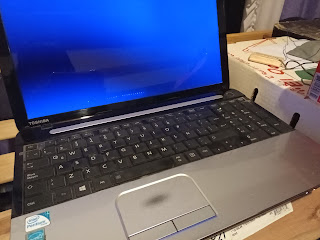
Jumpstarting a drained Toshiba C-50 ASP53xx Battery (Type:PA5024U)

Good News I was able to jumpstart the battery pack that I thought I was going to replace again at 50usd cost. This battery ended up to be of...